

ValidPoint Mobile App
Manage Every Item, WITH ANY DEVICE, Anywhere Work Happens
Scan, validate, associate, locate, check in, check out, and transact items from handhelds, wearables, tablets, and connected mobile devices — all connected through MotionView.
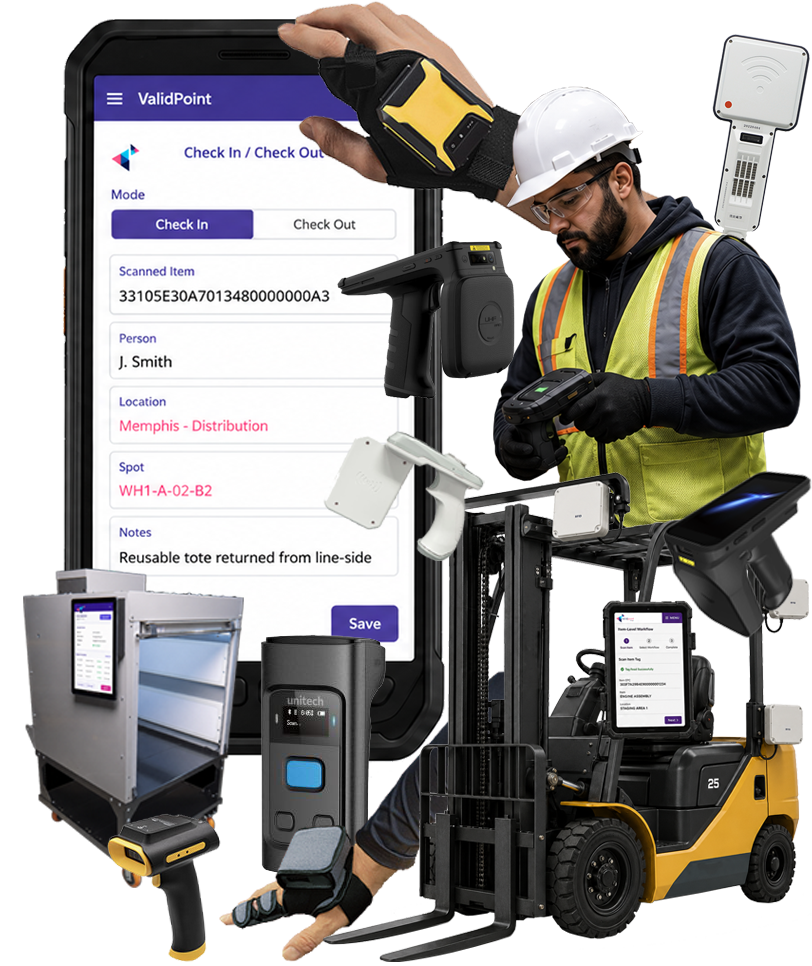

BUILT FOR THE WORK HAPPENING AT THE EDGE
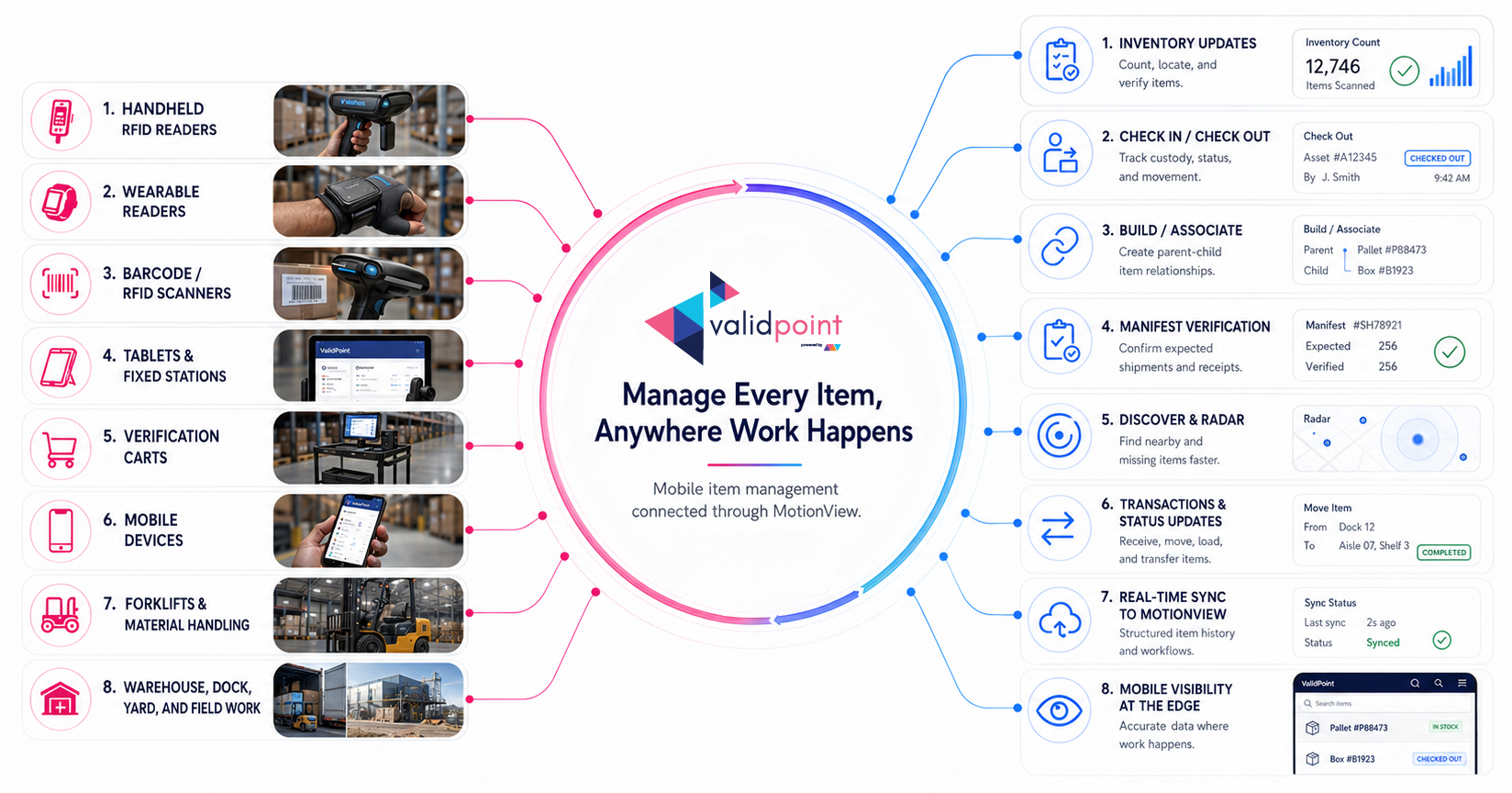
FROM MOTIONVIEW TO MOBILE IN MINUTES
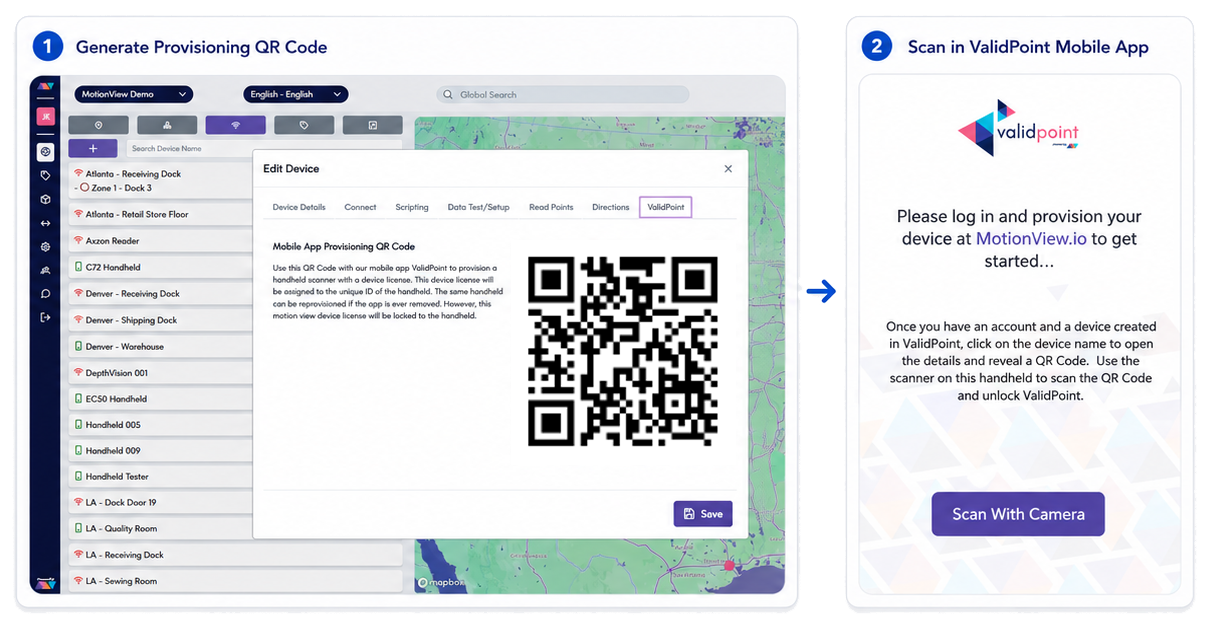
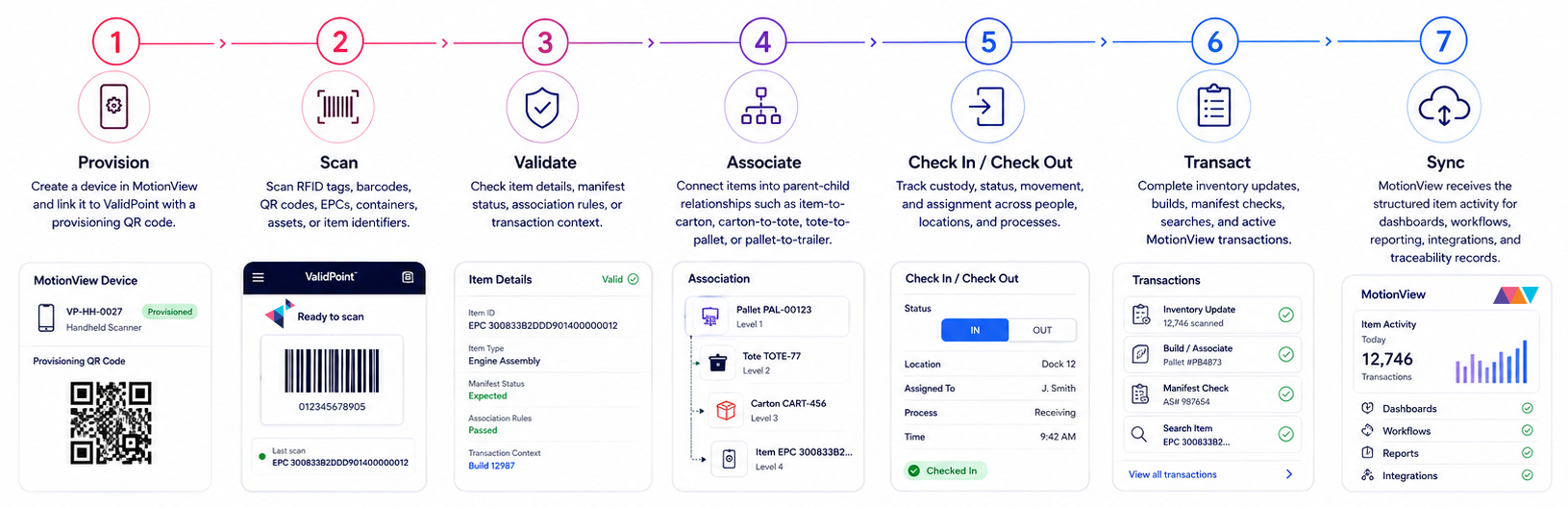
Create or select a device in MotionView
Start by creating a device in the MotionView web app or selecting an existing device profile.
Open the ValidPoint tab
Navigate to the ValidPoint tab inside the MotionView device details screen to display the provisioning QR code.
3. Scan the QR code from ValidPoint
Open ValidPoint on the mobile device and scan the provisioning QR code using a 2D barcode scanner or the device camera.
Start working
Once provisioned, the mobile device is linked to MotionView and ready for inventory, build, manifest, check-in/check-out, search, radar, and transaction workflows.
MotionView creates the connected environment. ValidPoint puts that environment in the hands of the operator.
MOBILE TOOLS FOR REAL ITEM-LEVEL WORKFLOWS
INVENTORY
Operators can scan items using RFID or barcode and save inventory updates directly into MotionView. ValidPoint supports configurable inventory details such as item state, category, and spot/location, helping teams keep item records current as inventory moves, changes, or is verified.
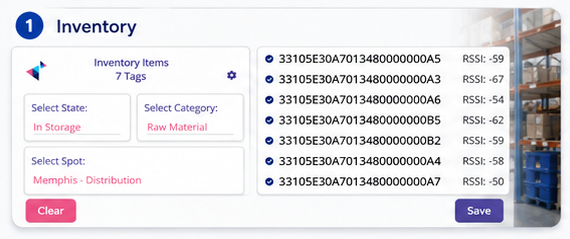
Use inventory workflows for:
- Cycle counting
- Inventory audits
- Location updates
- State changes
- Category assignment
- Field-level item verification
- Check-in and check-out of inventory or assets
BUILD: PARENT-CHILD ASSOCIATIONS
ValidPoint supports parent-child item relationships, making it useful for building and verifying operational hierarchies.
Operators can scan an item, confirm its identity, update its status, and associate it to a person, location, work area, transaction, or operational process. MotionView maintains the item history, giving teams a clear record of who had it, where it was, when it moved, and what happened next.
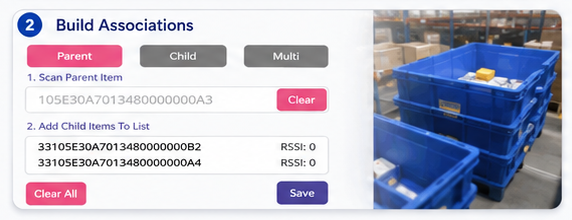
Teams can associate:
- Items to cartons
- Cartons to totes
- Totes to pallets
- Pallets to trailers
- Assets to locations
- Parts to kits
- Containers to shipments
- Reusable packaging to contents
CHECK-IN AND CHECK-OUT
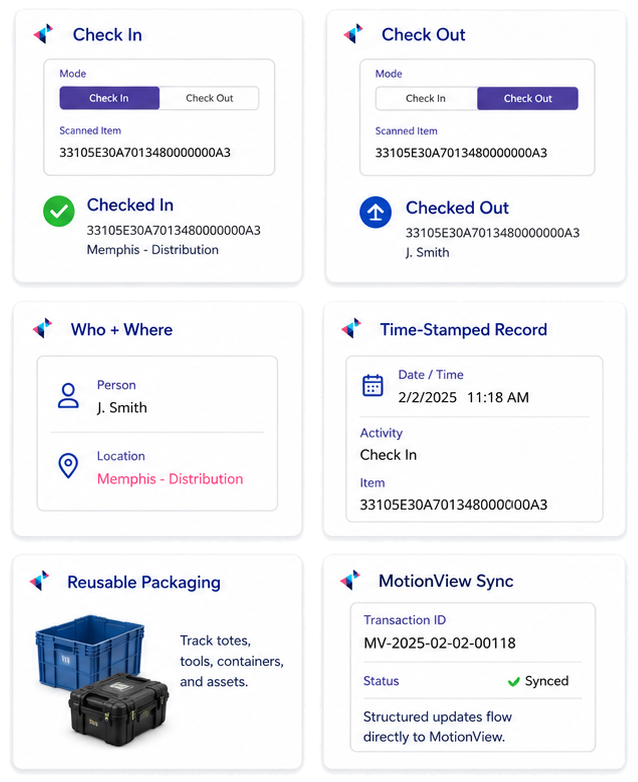
ValidPoint supports simple mobile check-in and check-out workflows for items, assets, tools, containers, samples, equipment, and reusable packaging.
Operators can scan an item, confirm its identity, update its status, and associate it to a person, location, work area, transaction, or operational process. MotionView maintains the item history, giving teams a clear record of who had it, where it was, when it moved, and what happened next.
Common check-in, check-out workflows:
- Tool crib and equipment checkout
- Reusable packaging issue and return
- Asset handoff between teams or locations
- Sample or specimen custody movement
- Inventory movement between zones
- Field service asset tracking
- Rental, loaner, or temporary assignment workflows
MANIFEST VERIFICATION
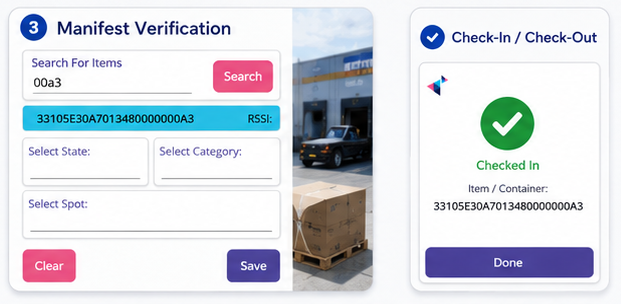
ValidPoint helps teams search for items in MotionView and verify them against a working manifest. Operators can scan RFID or barcode identifiers, and matching manifest items can be checked off as they are found.
This is especially valuable for shipment validation, receiving, staging, order verification, field audits, and exception resolution.
Use ValidPoint manifest workflows to:
- Search for items by identifier or metadata
- Verify items through RFID or barcode scans
- Confirm expected items are physically present
- Review item details before completing work
- Apply state, category, and location updates during the verification process
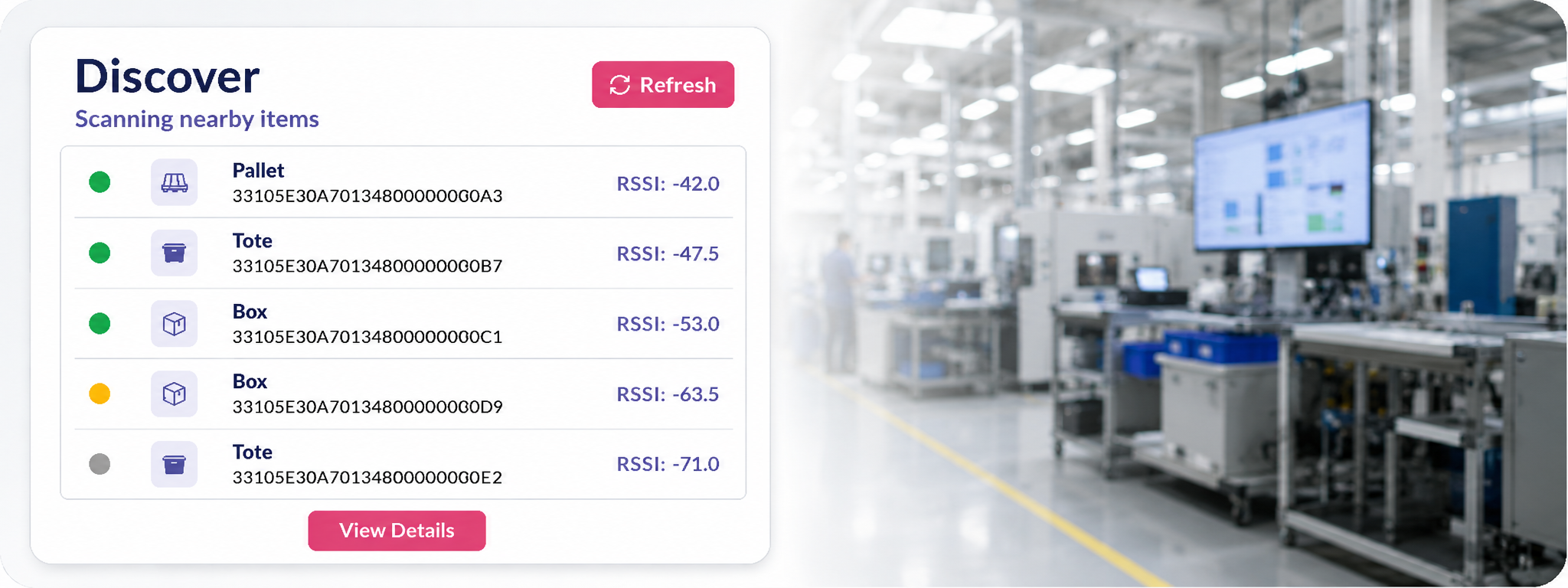
DISCOVER
Discover mode helps operators scan the local area and identify what items are nearby. From the list of discovered items, operators can open item details, review known information, and associate additional child items through RFID or barcode scanning.
This is useful when teams need to understand what is physically present in a zone, staging area, rack, room, cart, dock, container, or work cell.
RADAR SEARCH
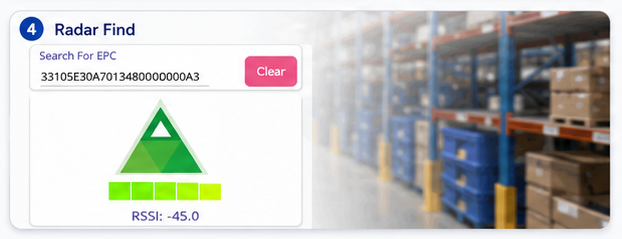
ValidPoint includes a radar-style find feature for locating a specific RFID-tagged item. Operators can search for an item in MotionView, select it, then use RFID signal strength to home in on its physical location.
This helps teams find misplaced assets, inventory, tools, containers, samples, equipment, or tagged goods faster.
TRANSACTIONS
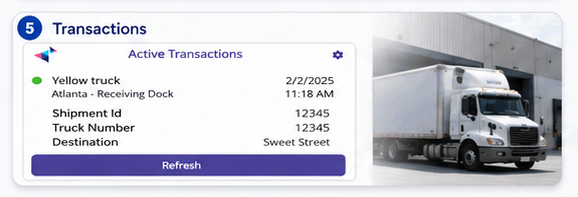
ValidPoint connects mobile scanning directly to MotionView transactions. Active transactions can be selected in the app, and scanned items can be added using RFID or barcode.
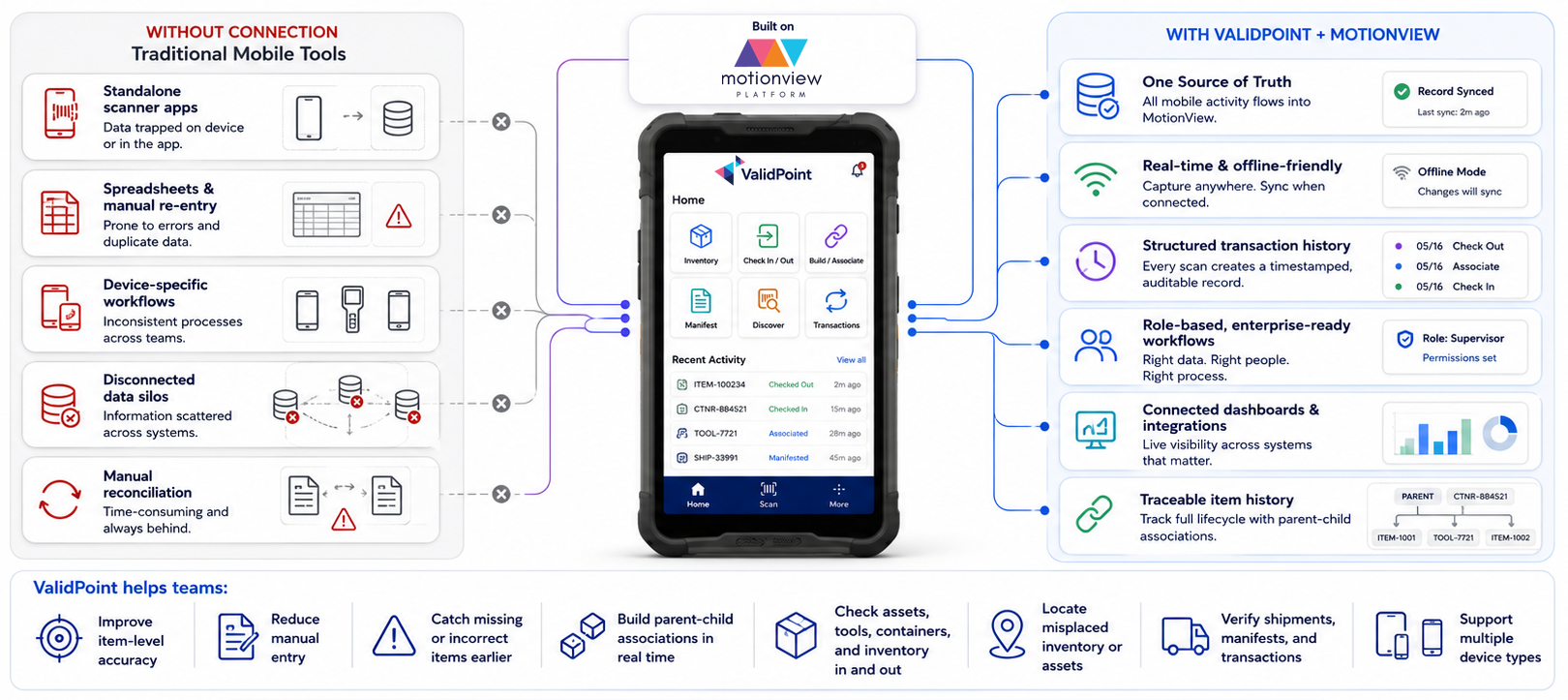
This allows frontline activity to become part of a structured transaction record instead of remaining disconnected from the operational system.
Transaction examples include:
- Check-in
- Check-out
- Receiving
- Picking
- Packing
- Staging
- Loading
- Shipping
- Transfers
- Audits
- Returns
- Field updates
DEVICE SETTINGS AND RFID CONTROL
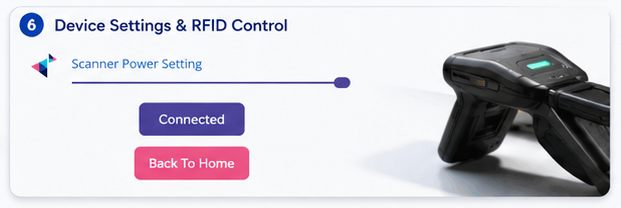
ValidPoint includes device-level controls such as connection status and RFID power settings, giving operators and supervisors practical control over scanning behavior in different environments.
This is useful when moving between dense inventory areas, portals, handheld workflows, close-range scans, or asset search scenarios.
BUILT FOR MOBILE, WEARABLE, HANDHELD, AND CONNECTED DEVICE WORKFLOWS
ValidPoint supports:
ValidPoint helps teams standardize workflows without forcing them into a single device ecosystem.
- Android-based mobile devices
- Handheld RFID readers
- Wearable RFID readers
- Barcode and RFID scanners
- Tablets and fixed operator stations
- RFID conveyor tunnel workflows
- Verification carts and mobile scan stations
- Forklift-mounted RFID solutions
- Connected operator interfaces
- Printers, lights, scales, and other edge accessories
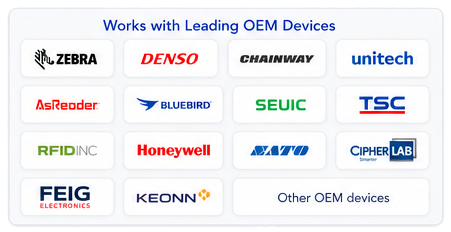
Works across leading OEM environments
ValidPoint is designed to work with leading mobile, wearable, RFID, barcode, and connected edge device ecosystems.
Device and technology ecosystems may include:
- Zebra
- Denso
- Chainway
- Unitech
- AsReader
- Bluebird
- SEUIC
- TSC
- RFID Inc.
- Honeywell
- SATO
- CipherLab
- FEIG Electronics
- Keonn
- Other OEM devices and connected interfaces

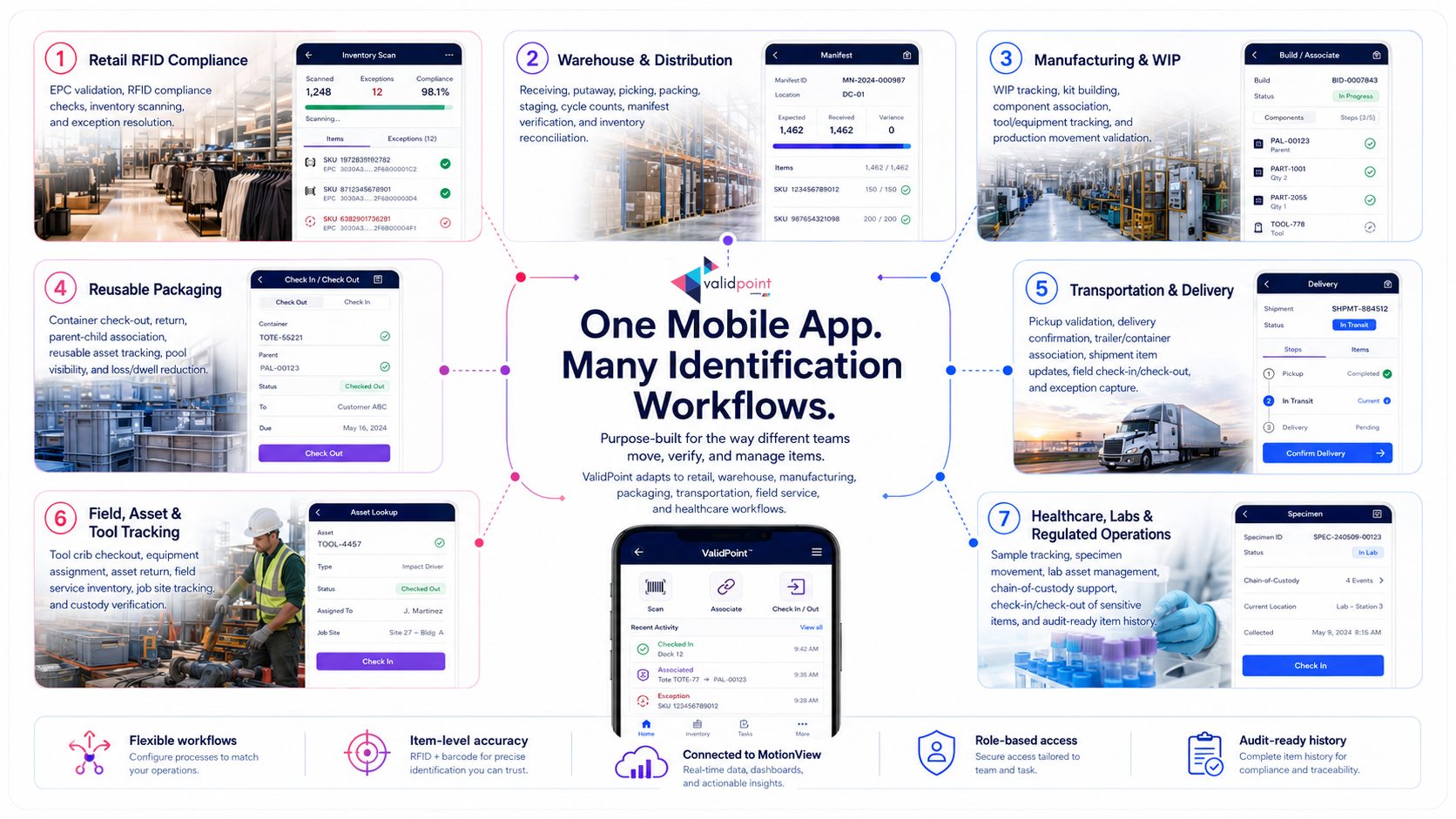
ONE MOBILE APP. MANY IDENTIFICATION WORKFLOWS.
FROM SCAN TO STRUCTURED TRACEABILITY
MOBILE EXECUTION WITHOUT ANOTHER DATA SILO
Ready to See ValidPoint
in Action?
From the warehouse to the field, ValidPoint helps your team capture, validate, and move every item with speed and confidence.
Whether you are starting with inventory, RFID compliance, shipment verification, reusable packaging, check-in/check-out workflows, manifest activity, or item-level traceability, ValidPoint helps make the work easier to execute and easier to trust.
See it live.
Request a personalized demo tailored to your workflows.
Get answers.
Talk with Midmo about your devices, use cases, integrations, and operational goals.
Start with confidence.
ValidPoint is quick to deploy, easy to use, and built to scale with MotionView.